
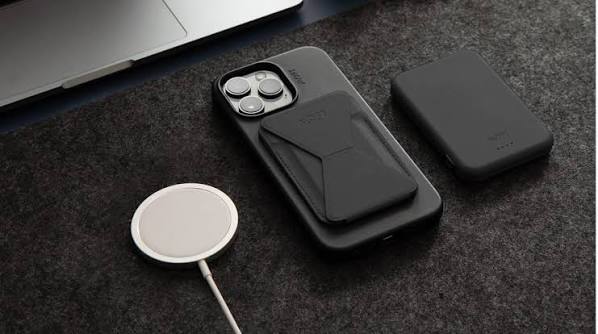
Wireless Charging Issues – Align Phones and Remove Cases
Wireless charging in a car can be convenient until the phone repeatedly connects and disconnects. In many cases, the charger is still working. Poor phone alignment, thick cases, metal accessories, heat, and incompatible device positioning can interrupt the transfer of power even when the charging pad appears normal.
Position the Phone Over the Charging Coil
Wireless charging depends on the phone’s internal coil lining up closely with the coil beneath the charging pad. Moving the phone only a small distance can sometimes change whether charging starts.
Place the device flat and centered according to the vehicle’s charging-pad markings. If the pad includes a retaining edge or adjustable guide, make sure the phone isn’t being pushed away from its intended position.
General car technology information may help explain why electronic features can behave differently between vehicles. Charging-pad dimensions and coil placement are not identical across every model.
Remove Anything Between Phone and Pad
A protective case can interfere with wireless charging when it is unusually thick or contains metal. Magnetic rings, wallet attachments, card holders, pop-out grips, and mounting plates can be especially troublesome.
Test the phone without its case before assuming the vehicle charger needs repair. If charging becomes reliable immediately, the accessory was probably affecting alignment or power transfer.
Drivers researching accessory-related electrical concerns may also encounter vehicle maintenance guides when comparing possible causes. The useful test is still simple: reduce the layers between the phone and charging surface.
| Symptom | First Test | Likely Direction |
|---|---|---|
| Charging never starts | Remove case | Case or compatibility |
| Charging stops often | Reposition phone | Coil misalignment |
| Phone gets very hot | Let device cool | Thermal protection |
| One phone works | Test compatibility | Device-specific issue |
Check Whether the Phone Is Compatible
Wireless charging capability varies by phone model. Even compatible devices may have camera bumps or unusual shapes that prevent them from sitting flat enough on a particular vehicle pad.
Try another compatible phone if one is available. If a second device charges normally, the pad likely has power and the problem may involve the original device, case design, software, or physical alignment.
For broader electrical reading, automotive wiring topics may appear alongside information about charging systems and accessory circuits. Vehicle-specific service information remains more useful when an actual electrical fault is suspected.
Heat Can Stop Charging Without Warning
Wireless charging naturally produces some heat, and a closed vehicle cabin can make the problem worse. Phones may reduce charging speed or suspend charging entirely when their internal temperature rises.
Move the vehicle out of direct sun when practical, remove the phone case temporarily, and allow the device to cool. Air from a nearby climate vent may also help if the vehicle’s charging pad is poorly ventilated.
Check for Other Heat Sources
Running navigation, video, hotspot functions, or demanding apps while charging increases heat. The charging pad may be blamed even though the device is limiting power to protect itself.
Testing with the screen off and unnecessary apps closed can reveal whether heavy phone use is contributing.
Where Wireless Charging Diagnosis Goes Wrong
A common mistake is assuming that a charging symbol proves the connection is stable. The phone may repeatedly start and stop charging as it shifts during braking or cornering.
Another poor assumption is that every case labeled “wireless charging compatible” will work equally well on every vehicle pad. Case thickness, magnet placement, phone size, and pad design all affect performance. Testing the bare phone is often more informative than relying on accessory labeling.
Frequently Asked Questions
Why does wireless charging stop while driving?
The phone may slide enough to move its charging coil away from the pad’s ideal position. Heat, vibration, protective cases, and software temperature controls can also interrupt charging during a trip.
Can a magnetic phone case affect car wireless charging?
It can. Some magnetic systems are designed around wireless charging, while other rings or metal plates interfere with coil alignment. Removing the case provides a quick comparison.
Why does my phone get hot on the charging pad?
Wireless power transfer creates heat, and demanding apps or a hot cabin can add more. If temperatures rise too much, the phone may slow or stop charging to protect the battery.
Test the Phone Before the Hardware
Start wireless charging diagnosis with positioning, case removal, temperature, and another compatible device. Those checks separate common phone-related problems from actual vehicle faults without dismantling anything. If several compatible phones fail on a cool, clean charging pad, the next step is checking the vehicle’s power supply or having the charging module professionally inspected.