

How to Put Two Barcodes on One Thermal Label Without Scan Confusion
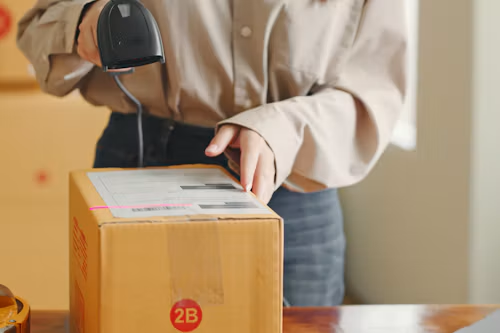
Some packages need one barcode for the item and another for shipping or internal tracking. Putting both on one label can save space, but a fixed scanner may read the wrong one. Design the layout around who scans each code, when, and with what equipment. If the codes serve different stages, separate labels or separate package faces may be safer.
Define the job of each code
Write down the data encoded in each symbol and its owner. One might identify a SKU, another a parcel tracking number. The visible text should make their purposes clear to a human without requiring the full encoded string to be printed twice. Check whether a customer, carrier, or retailer has a placement specification. Their rules take precedence over a locally convenient layout.
Avoid reusing the same symbology and size for codes that a scanner should distinguish automatically. If the receiving system reads the first code it sees, software logic may need to validate the data prefix or expected field, but do not assume it will. Test the actual scanners and software, not only whether both codes are technically readable.
Protect size and quiet zones
Give each code enough clear space around it and keep it away from the die-cut edge. Do not shrink a barcode to make room for decorative text. Print the longest data string and the smallest required text on the proposed thermal barcode label. A 203-dpi printer may have different practical limits from a higher-resolution model; validate the finished print at the production speed.
Place the primary code where the next process expects it. A secondary internal code can be smaller only if its scanner and standard allow that size. Keep human-readable labels such as “Item” and “Shipment” beside the right symbol, but do not let text enter the quiet zones.
Run a wrong code trial
Present finished packages to each scanner exactly as workers will. Record which code reads first, whether the system rejects the wrong data, and how often an operator must reorient the box. Include curved, glossy, and partly wrapped packages if they are in the mix. A design that works on a flat proof sheet can fail after application.
Ask for direct thermal labels in the exact size and coating proposed, and print from the real software template. If the two-code design remains ambiguous, split the codes by workflow or surface. The goal is not to fit more bars on paper; it is to make the correct scan the natural first scan at every handoff.
Check software behavior as carefully as print
A handheld scanner can usually decode either symbol when deliberately aimed, but an automated station may read the first code in its field of view. Ask the software team what data pattern it expects at each step and what happens when the other code arrives. A clear rejection message is better than silently accepting the wrong identifier. Test a deliberate wrong-code scan and confirm that the system stops the workflow instead of attaching the event to an unrelated record.
If one code is for a retailer and one for a carrier, confirm both parties’ current label rules. Some workflows require the carrier code to occupy a specific zone on the package. Placing two symbols on the same face may be prohibited or unreliable even when both print perfectly. A separate internal label on another face can be the simplest answer.
Control template changes
Keep a sample label with the longest encoded values and smallest allowed package. After any software, font, or printer-resolution change, print and scan that worst case. Measure the symbol and quiet zone if the relevant standard calls for it. Keep the version number of the template with the test record. A designer can move a text block by a few millimeters and inadvertently crowd a code that used to scan reliably.
Create a scan map
Draw the package face and mark where each code appears. Then list every scan point in order: internal packing, carrier induction, customer receipt, and any return. For each point, identify the expected code and scanner type. This makes it obvious when two codes compete in the same field of view. If a fixed scanner sees both, move one code to another face or separate it by enough space under the relevant specifications. Do not rely on an operator remembering to cover the wrong code.
Check whether either system reads multiple symbologies automatically. A system that accepts any numeric string may need software validation of format or prefix before recording a transaction. Test deliberate wrong-code input. A clear error is a success; silent acceptance is a design defect even if the label itself is perfectly printed.
Keep the label readable at real size
Print the longest allowed data in both codes and the longest human-readable fields. Measure the finished label, not a PDF at screen zoom. If content overflows, remove redundant text or use a larger approved label. Shrinking both barcodes may violate a customer’s or carrier’s requirements. Maintain clear space around each symbol, and avoid placing a label edge or carton seam through it.
Run a production-speed print test with the actual roll and printer. Inspect first and last labels for registration drift. A layout that has one millimeter of spare space on a proof may clip at the edge of a poorly calibrated device.
Handle replacement labels
When a package is relabeled, decide whether both codes need reprinting. If the carrier code changes but the item code remains, the new label should not create a second active item code in a different location. Remove or obscure retired routing information according to the applicable procedure and repeat both workflow scans. A documented replacement path prevents a careful two-code design from failing during the first exception.
Train operators to report an unexpected scan result rather than repeatedly moving a package until some code reads. A retry that eventually succeeds may hide that the wrong symbol was decoded first. Recording these near misses can reveal a placement issue before it causes a shipment or inventory error.