
Storage Drive Choices – Balance Speed Capacity and Reliability
Buying a storage drive becomes confusing when every product page treats more features as automatically better. The useful starting point is simpler: decide how the device will serve backups, games, photos, video projects, laptop upgrades, and long-term file storage, then compare only the specifications that affect those jobs. Price still matters, but so do comfort, support, compatibility, and the cost of owning the product for several years. Shoppers who want more background can consult independent storage resources, but the final decision should stay tied to real usage rather than hype.
Five Storage Brands to Compare
A practical comparison begins with capacity, interface, SSD vs HDD, speed, endurance, backup role, and portability. Those factors create a much clearer shortlist than sorting by the newest model or the biggest headline number. The five companies or buying channels below represent different approaches to the category. They are not ranked from best to worst; use them as reference points for matching features, support, and ownership tradeoffs to your own priorities.
1. Western Digital
Western Digital offers internal and external hard drives, SSDs, and portable storage under several product families. It is a useful comparison brand for buyers choosing between low-cost capacity and faster solid-state storage.
2. Seagate
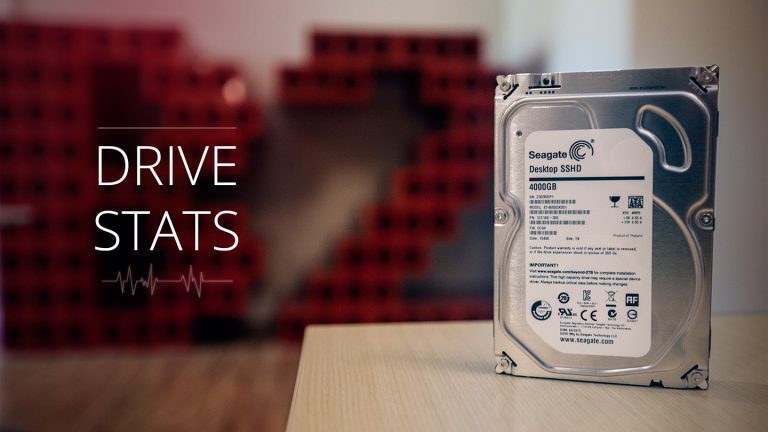
Seagate sells hard drives, external storage, and SSD products for consumers and businesses. Its catalog is especially relevant when large-capacity backups and media libraries matter, though hard drives should not be treated as the only copy of important files.
3. Samsung
Samsung is a major SSD supplier with internal and portable solid-state drives. It is worth comparing for users who prioritize fast transfers, compact designs, and laptop or desktop upgrades where SSD performance matters more than maximum capacity per dollar.
4. Crucial
Crucial provides internal SSDs and memory products aimed at straightforward computer upgrades. It can be a practical option for extending the life of a PC, but shoppers should confirm interface compatibility and physical size before ordering.
5. SanDisk
SanDisk offers portable SSDs, flash drives, and memory cards for mobile and creative workflows. It makes sense for travelers and photographers, but portable convenience should still be paired with a separate backup if the files cannot be replaced.
Give Every Drive a Clear Job
Before paying, write down the three tasks the storage drive must handle well and the two frustrations you most want to avoid. That simple list keeps optional extras from becoming false requirements. Use digital storage guidance as supplementary reading, then verify the exact model, warranty, compatibility, and return terms with the seller or manufacturer before checkout. If two options meet the same core need, prefer the one that is easier to own: simpler support, appropriate capacity, sensible accessories, and fewer compromises you will notice every day.
A second useful test is to compare the total setup rather than the product alone. Accessories, subscriptions, adapters, replacement parts, service plans, and future upgrades can change the real cost. Buying a slightly less ambitious device can be smarter if it avoids expensive add-ons or gives you a better fit for your routine.
Frequently Asked Questions
Should I buy an SSD or a hard drive?
Choose an SSD for speed, silence, shock resistance, and active projects. Choose a hard drive when large amounts of storage at lower cost matter more than transfer speed. Many people use both: SSD for working files and HDD or another system for backups.
How much storage capacity should I buy?
Start with current usage, then add room for realistic growth. Photos, games, and video expand quickly, while document-heavy users may need far less. Buying some headroom is sensible, but huge unused capacity is not automatically better value if the drive sits mostly empty.
Is one external drive enough for backup?
Not for irreplaceable data. A single drive can fail, be lost, or be damaged with the computer it protects. Important files should exist in multiple independent places, such as a local backup plus another drive or a reputable cloud backup service.
Plan Storage Around Risk as Well as Speed
The strongest buying decision is the one you can explain in plain language: what problem the product solves, which features matter, and which features you deliberately ignored. Storage is not only about speed or capacity; the most valuable drive is the one that fits a sensible backup plan. If you want another perspective before spending, backup planning resources can support your comparison, but the last check should always be your own workload, budget, and tolerance for compromise.